
Why we built Bluprint, a free diagram tool for NetScaler
Every NetScaler engineer knows the drill. You start drawing the appliance topology, add the VLANs, IP addresses and routes. Then you need the same environment from a different angle, like another network layer or a second site, so you start over. Keeping all those versions in sync by hand is slow, repetitive and easy to get wrong.
We got tired of that, so we built Bluprint: a free, browser-based diagram tool that already knows what a NetScaler environment looks like.
Documenting NetScaler environments
Documenting a NetScaler environment often involves a lot of repetitive work. The same components, configuration details and topology information need to appear across different diagrams and views:
You recreate the same ADC, load balancer and vServer components for every new project.
You create the same diagram overview for development, test, acceptance and production environment
You re-enter the same IP addresses, VLANs and BGP configuration across different views of the same topology.
You re-position and update components on multiple diagrams whenever the environment changes
You change an attribute and have to manually edit every sheet or diagram that needs to shows the right one.
None of that is difficult work, but it takes time and creates unnecessary overhead. Bluprint was built to remove that repetition and make NetScaler documentation faster and more consistent.
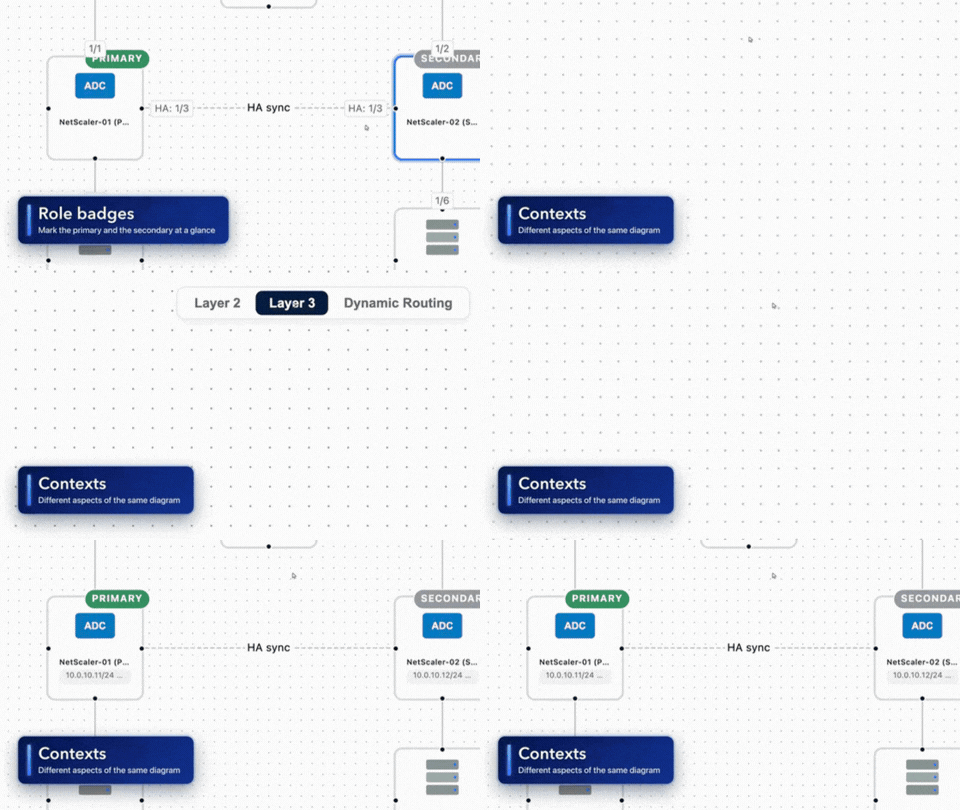
Bluprint preview
Built from real NetScaler deployments, not generic icons
Bluprint's shape library is modeled on real NetScaler objects instead of generic boxes, so the components you work with every day are already there, alongside the standard network and infrastructure shapes that surround them. Because the tool understands how those components typically fit together, it keeps placement and ordering consistent automatically, so a diagram looks right the first time instead of after several rounds of manual repositioning.
If you'd rather not start from a blank canvas, Bluprint ships with expert-built templates, including a full NetScaler HA Pair topology across all three views, and a Packet Flow diagram that walks through NetScaler's internal request-processing pipeline, from TCP processing and SSL decryption through content switching, bot management, application firewall and rewrite actions. They're useful as a starting point for your own environment, and just as useful as a reference for explaining how NetScaler actually processes traffic.
Free to use, and secure enough for production documentation
Bluprint runs entirely in your browser. There's no sign-up, no login, and no credit card. Diagrams save locally as a portable file you can reopen anytime, and you can export as PNG, SVG or an animated GIF. When you do need to collaborate, sharing is end-to-end encrypted: the decryption key stays inside the link itself, so the server never has access to your design. You can generate an owner link with full control, an editor link for collaborators, or a read-only view link that's safe to send around or embed, which matters when the diagram in question describes production infrastructure.
Connect it to the AI tool of your choice
You don't have to draw everything by hand either. Bluprint runs a hosted MCP (Model Context Protocol) server, which means any MCP-capable AI client can build a diagram on your behalf. Point your assistant or IDE integration at the Bluprint endpoint and it gets access to four actions on the canvas: adding a device, linking two devices together, setting a device's description and creating a share link to hand the result back to you.
In practice that turns documentation into a conversation. Describe the environment in plain language, for example two NetScaler ADCs in an HA pair behind a firewall with two web servers behind them, and your assistant places, connects and labels the devices for you. You get the same NetScaler-native shapes, the same multi-sheet views and the same encrypted sharing, just without the drag and drop. The MCP endpoint is listed under Info in the tool, ready to copy into whichever AI tool you already have open.
Who it's for
Bluprint is for anyone who designs, documents or explains NetScaler environments: engineers and architects who need accurate topology diagrams for design, migration or troubleshooting, IT teams documenting their current environment for onboarding or internal knowledge sharing, and consultants who need to walk a customer through a proposed architecture without a 45-minute whiteboard session.
Try it on your own environment
Open Bluprint, drag your first NetScaler ADC onto the canvas, and see how quickly a proper topology comes together. It's free, it's ready now, and it's built by the same team that manages NetScaler environments for a living. Read more about the tool on our Bluprint page, or if you'd rather talk through your own NetScaler setup first, schedule a direct call with one of our experts.
Extended Bluprint tool preview
